 CourseGlade
 Certificates addon
Auto-issued certificates with 10 designs, PDF download, and public verification.
The Certificates addon (Pro) issues a certificate automatically when a student completes a course.
Set the design and details
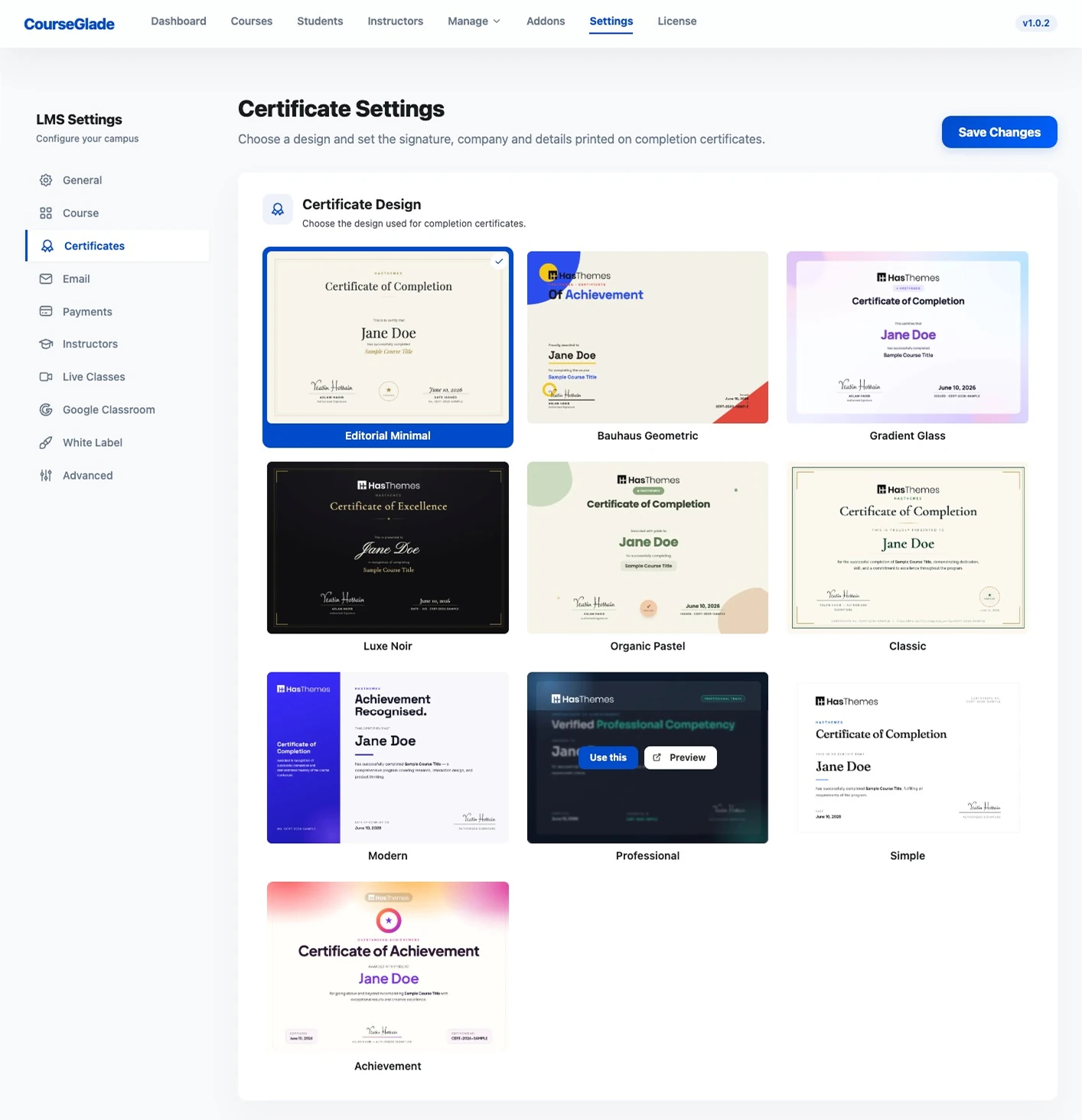
Go to CourseGlade → Settings → Certificates:
- Certificate Design — a gallery of 10 templates; hover a card and click Use this (or Preview). The designs are Editorial Minimal, Bauhaus Geometric, Gradient Glass, Luxe Noir, Organic Pastel, Classic, Modern, Professional, Simple, and Achievement.
- Certificate Details — Authorized Name, Authorized Company Name, Signature and Company Logo images (plus light versions for dark designs like Luxe Noir), a Show certificate ID number toggle, and Include certificate link in course completion email.
Per-course design
In the course editor’s Access & Visibility tab, the Certificate Design picker overrides the default for that course. Choose a specific design, Use Site Default, or Don’t Issue to turn certificates off for the course.
Certificate numbers
Every certificate gets a unique number in the form CERT-2026-XXXXXXXXXXXX. The CERT prefix is the default and can be changed by a developer via the courseglade_certificate_number_prefix filter — there’s no prefix field in the settings UI. The Show certificate ID number toggle controls whether the number prints on the certificate.
Student PDF download
Completed students reach their certificate from the dashboard. The certificate page has a Download PDF button (rendered in the browser) and a Back to Site link. If the course’s completion email link is enabled, the email also carries a Download Your Certificate button.
Public verification
Add the [courseglade_certificate_verify] shortcode to any page — it shows a Verify a Certificate form. Anyone can enter a certificate number to confirm it’s genuine; a verified certificate shows Certificate ID, Recipient, Course, Issued On, and Issued By. Certificates are also reachable at /certificate/{number}.
Managing issued certificates
CourseGlade → Certificates lists every issued certificate (Student, Course, Number, Issued) with View certificate and Revoke certificate actions.
How auto-issue works
When a student reaches 100% completion, CourseGlade issues the certificate using the per-course design, or the site default if none is set. A unique constraint prevents duplicates.