 CourseGlade
 Student dashboard
The unified dashboard and its tabs for students and instructors.
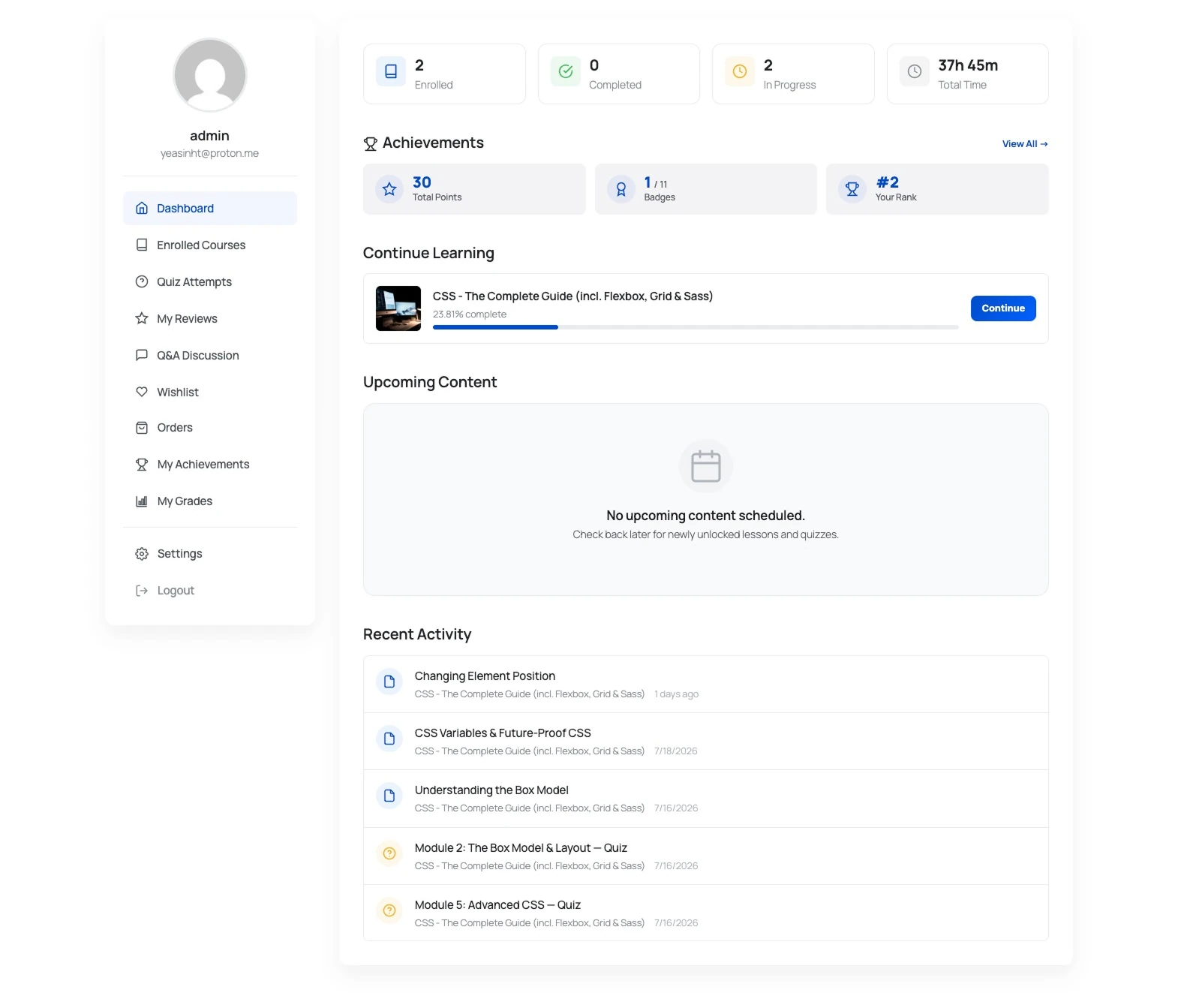
The dashboard is one page ([courseglade_dashboard]) whose tabs adapt to the logged-in user’s role.
Student tabs
- Dashboard — an activity and progress overview
- Enrolled Courses — every course the student is in, each with a Continue button and progress
- Quiz Attempts — past attempts and scores (shown when quizzes are enabled)
- My Reviews — reviews the student has written, editable and deletable
- Q&A Discussion — the student’s questions and replies
- Wishlist — saved courses, each with a Remove action (shown when the wishlist is enabled)
- Orders — purchase history (shown when orders are enabled)
- Settings — account and profile settings
Instructor tabs
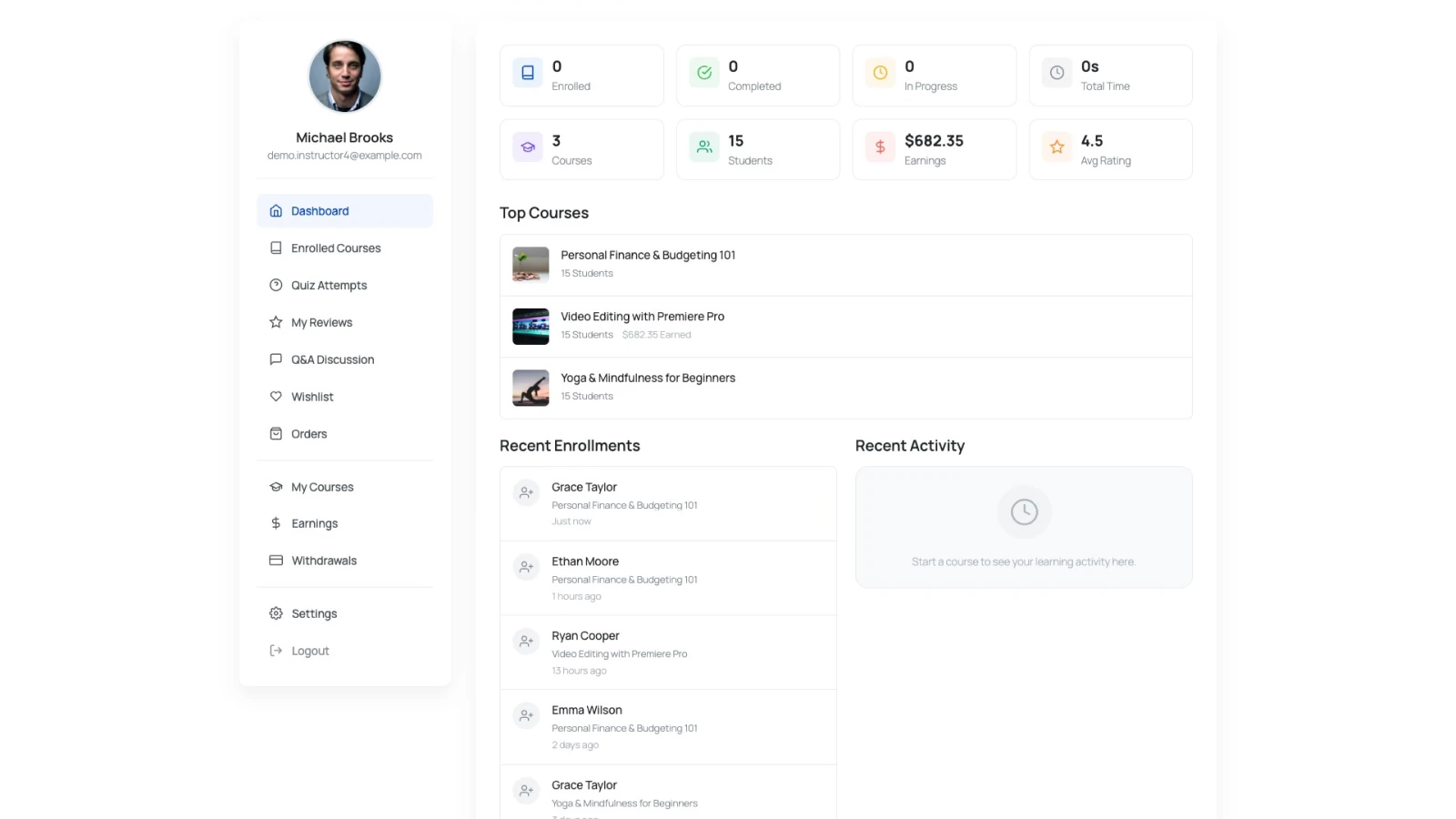
Instructors also get a teaching section:
- My Courses — the courses they teach
- Earnings — summary cards for Total Earned, Available Balance, Pending, and Withdrawn, plus earnings history
- Withdrawals — request and track payouts
Pro tabs
Two tabs appear only with the matching Pro addon active:
- My Achievements — points and badges (the Pro Leaderboard & Gamification addon)
- My Grades — course grades and GPA (the Pro Gradebook addon)
The admin side
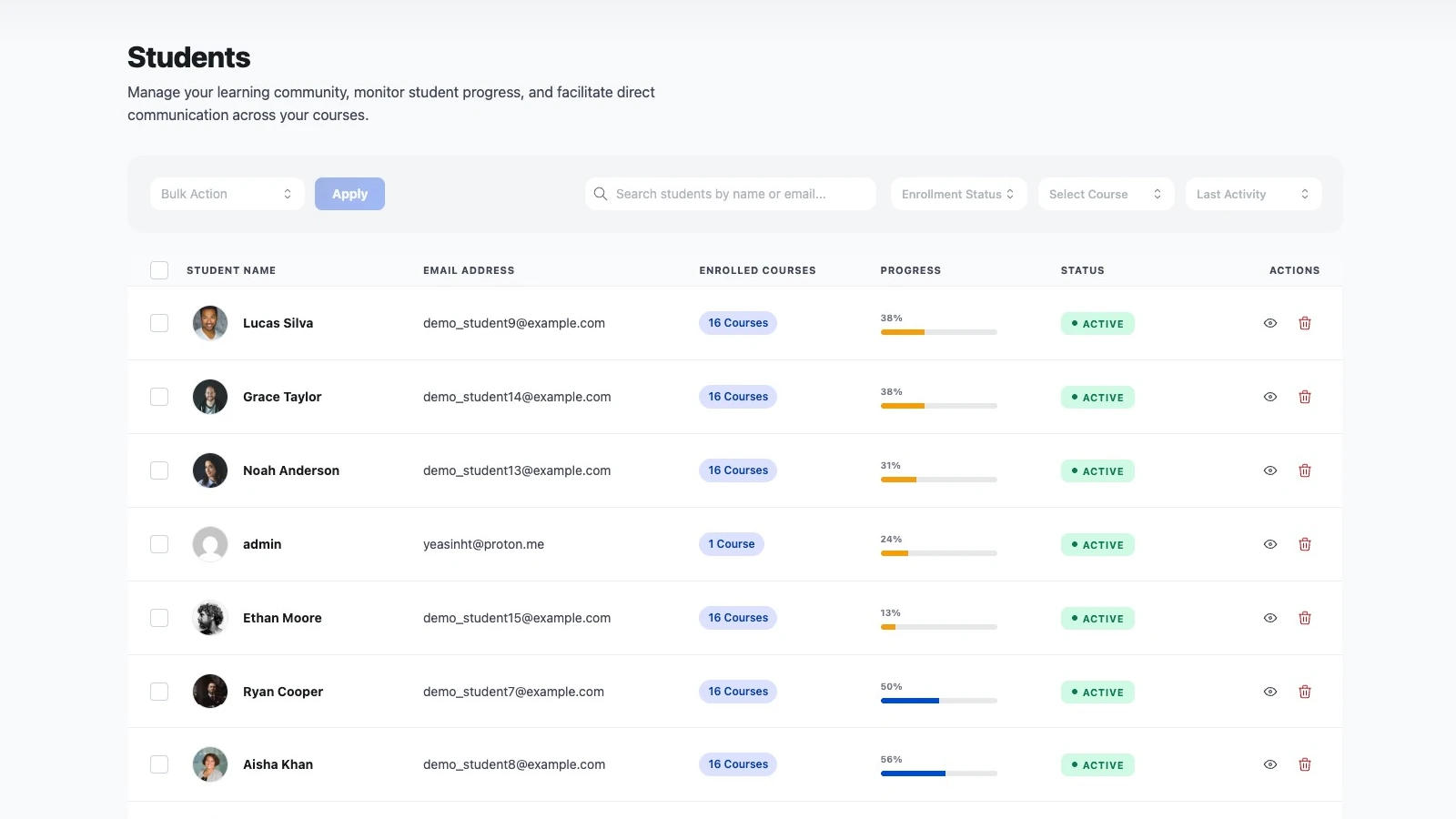
The dashboard is what students see. To manage them yourself, go to CourseGlade → Students — search by name or email, filter by enrollment status, course, or last activity, and open a student to view their enrollments and progress.
Notes
- The dashboard is created on install; you can move or restyle the page freely.
- A logged-out visitor sees a prompt to log in.